
How to Update NetSuite System Accounts & Email Routing
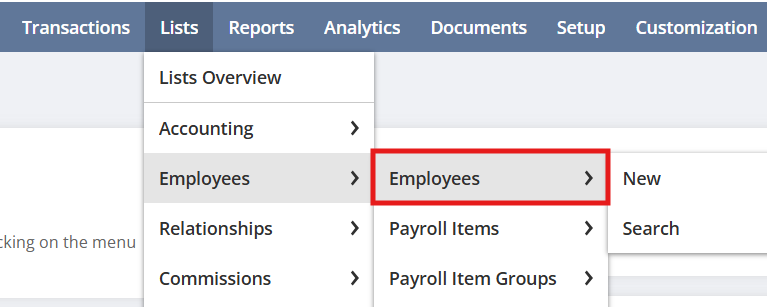
How to Update NetSuite System Accounts & Email Routing Maintaining a clean and functional ERP environment requires occasional updates to system-generated emails and administrative accounts. Whether you are transitioning a personal user account to a generic NetSuite Admin role or troubleshooting email sender verification, precision is key. Failure to follow proper protocols can lead to account lockouts, misdirected communications, and broken workflow automation. This…
How Can I Automate Email Notifications in NetSuite with Saved Searches
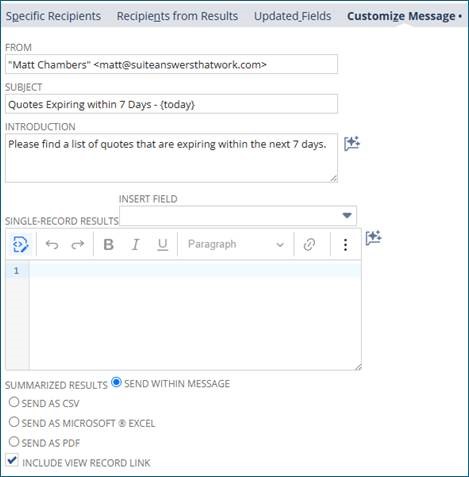
Why Saved Searches for Email Automation? Saved searches are more than just reporting tools. When combined with scheduled email delivery, they become automated communication engines that push critical information directly into your team’s inboxes. Instead of relying on employees to pull reports, NetSuite can push the right data to the right people at the right…

How can I reduce scripts in NetSuite?
Chaining Map/Reduce Scripts in NetSuite Introduction When working with large processes in NetSuite, it’s common to split logic across multiple Map/Reduce scripts that need to run in sequence. Since execution times can vary based on data volume and queue availability, using scheduled deployments alone is unreliable. If one script starts before another finishes, it can…
How to Master Allocations in Netsuite
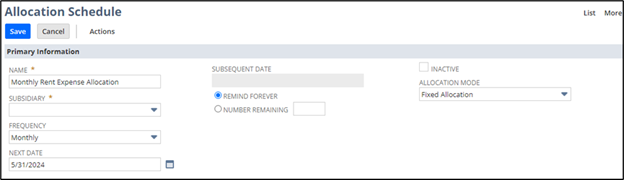
Expense allocations in NetSuite offer a powerful way to automatically distribute expenses across departments, locations, or other organizational segments. This functionality helps streamline financial processes, improve reporting accuracy, and support compliance with internal accounting policies. What is Expense Allocation? Expense allocation is the process of dividing a single expense among multiple accounts or segments based…
How do you Update Script Deployments in NetSuite
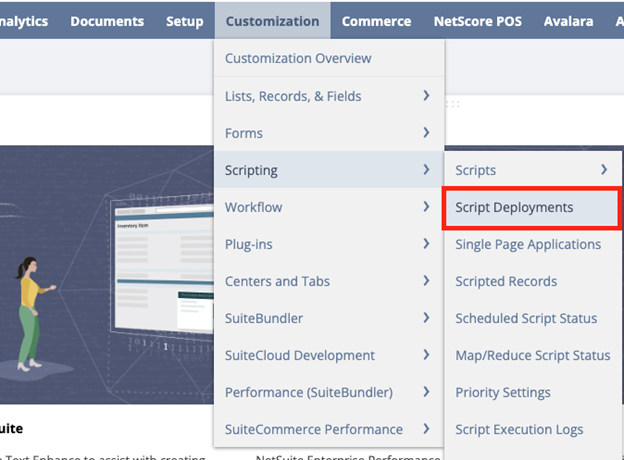
Are you looking to enhance or update the functionality of your scripts in NetSuite? Understanding how to properly manage script deployments is key to keeping your system aligned with evolving business needs. The NetSuite Script Deployment tool provides a flexible framework for customizing how and when your scripts run. In this guide, we’ll walk through…
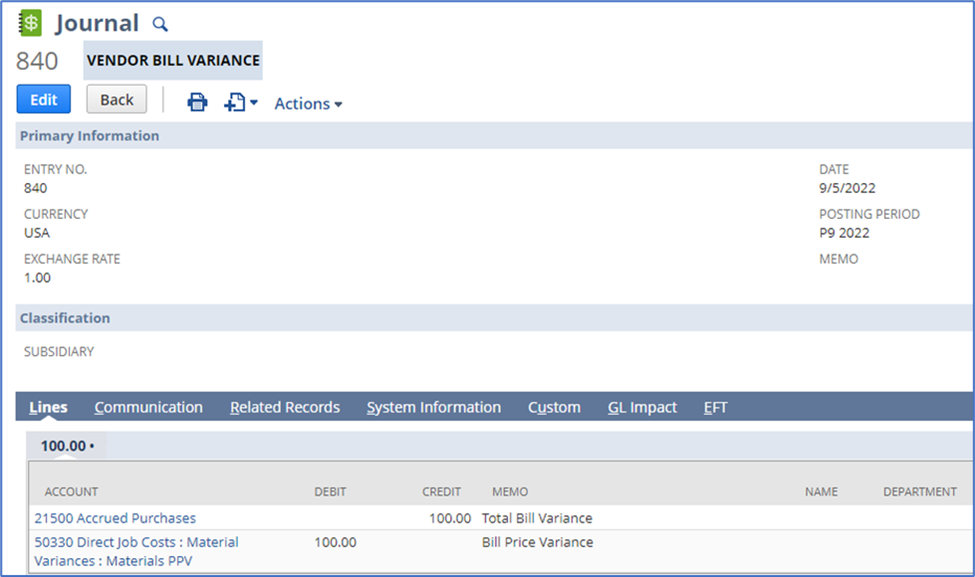
What Are Post Vendor Bill Variances and How Do They Work?
Mismatches between what you ordered and what you were billed, whether in price, quantity, or exchange rate, often leave messy balances in your Accrued Purchases account. If you have Advanced Receiving enabled in NetSuite, you can easily clean up these discrepancies. This process generates journal entries that move variances to the correct accounts, ensuring your financial reporting remains accurate…
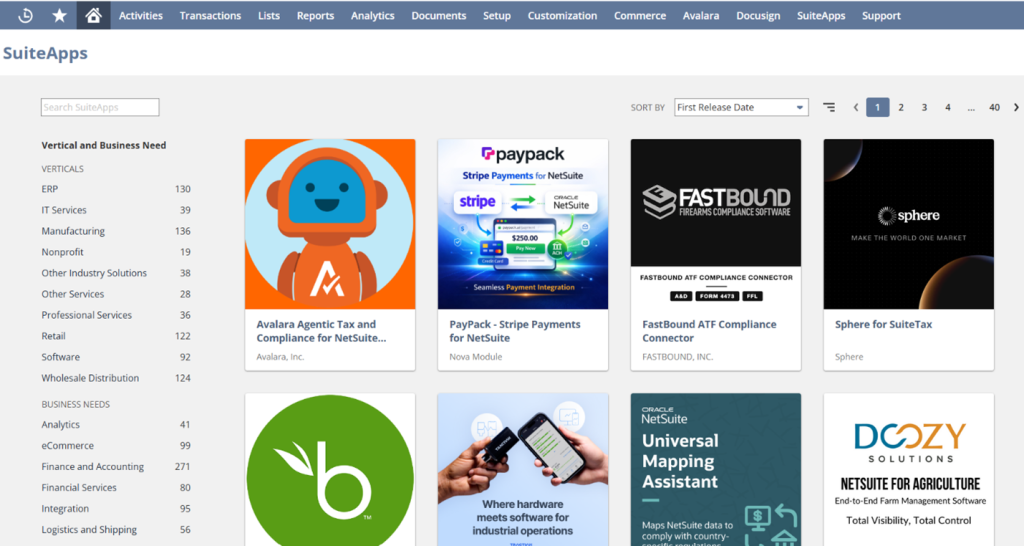
How do I Instal, Upgrade & Uninstall when using Netsuite SuiteApp?
NetSuite SuiteApp: Install, Upgrade & Uninstall Introduction NetSuite and NetSuite Tools handle many of the use cases and requirements of end users innately, but there are surely edge cases that need to be addressed separately. Custom solutions can be crafted but, making sure a solution is not already available is a necessary step in the process.…
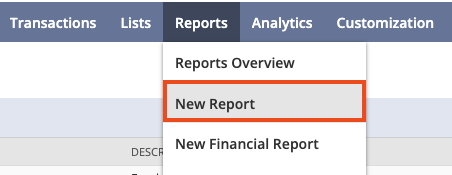
How do I create dashboards and custom reports in Netsuite?
How do I create dashboards and custom reports in Netsuite? Introduction NetSuite continues to evolve as a powerful analytics platform, offering flexible, role-based dashboards and advanced reporting tools that adapt to modern business needs. Whether you’re tracking real-time KPIs, analyzing financial performance, or monitoring operational trends, NetSuite’s SuiteAnalytics capabilities enable you to build highly customizable,…
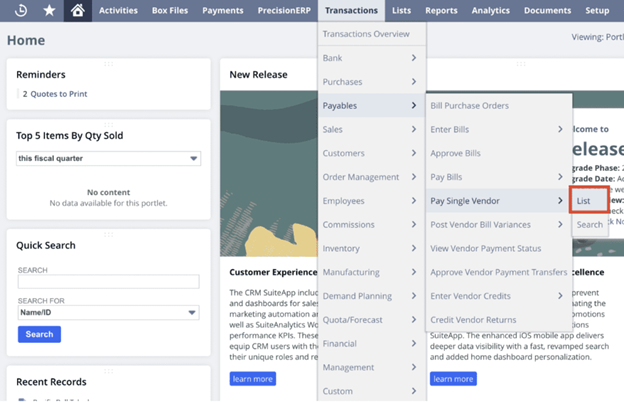
How do I Correct Bill Payment Applications in NetSuite?
How to Correct Bill Payment Applications in NetSuite (Step-by-Step Guide) Correcting bill payment applications in NetSuite is a common task for accounting teams. Even with strong processes in place, discrepancies such as incorrect payment amounts, missing documentation, or system limitations can require manual updates. In this guide, you’ll learn how to fix bill payment applications…
How can I Use Workflows to Automatically Send Targeted Emails
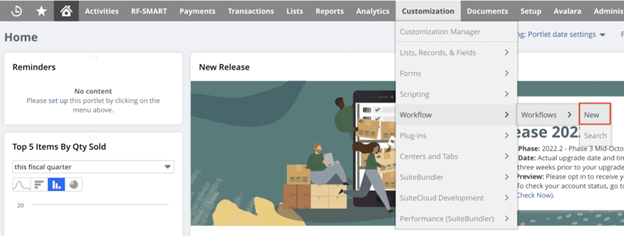
How to Use Workflows to Automatically Send Targeted Emails NetSuite offers multiple ways to streamline workflows, resolve operational pain points, and enhance system efficiency. One common challenge is notifying employees about transactions related to them. While NetSuite dashboards and portlets can display this information, workflow automation provides a more efficient solution by automatically sending targeted…