
Background
TM1® Perspectives is TM1-native API based, whereas Planning Analytics for Microsoft Excel is REST API and MDX based. This difference affects how some of the features are implemented and overall performance.
IBM Perspectives is an Excel plugin that integrates with the TM1 Server, while IBM Planning Analytics for Excel (PAfE) is a modern, Excel-based “tool” replacing Perspectives.
PAfE has a more user-friendly interface, (can have) better performance, and more advanced features than Perspectives, however, long-time users of TM1 Perspectives may run into difficulties migrating existing Excel reports to PAfE because of differences in the way the same TM1 formulas are calculated in both Excel add-ins. Perspectives is much more “forgiving” in its interpretation of invalid or “poorly formed” TM1 function parameters than PAfE.
The following are some simple optimizations that can be implemented (without having to redesign or recreate the entire report) to improve the overall performance of a Perspectives report that is being migrated to PAfE.
Simple Optimizations
Eliminate External Distractions
Step one in transitioning a Perspectives report to PAfE is to open the report in PAfE and ensure that you eliminate any external links that may be embedded as part of the report. An external link in Excel is a reference to a cell, range of cells, or other data in another workbook. If there is a reference in the report that is unreachable, the report will try to reconcile that reference on every refresh of the report impairing performance.

A common example of an external link is a reference to the Perspectives add-in. If the tm1p.xla shows up as an external link in your report, you must break (remove) that link:

View Function
Use the VIEW Function instead of simple cube references as The View function sets up an optimized view for a cube in memory so it can be referenced quicker when referred within the DBRW or DBR formula.
Example from:
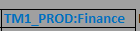
To:

Nested Formulas
Avoid nested formulas, such as “LEFT,” within a DBRA or DBRW database call (also avoid functions like MID or RIGHT). A nested formula is where one function (like a LEFT function) is placed inside another function (such as a DBRA or DBRW).
Example from:

To:

Notice that I changed the reference of N6 to N4, and that N4 is a preformatted value and does not require a LEFT function or a database call.
Here is another example:

Cell K7 is being pulled from the control tab of the report and shows a value of 202312 QTD. The LEFT function formats the date by dropping the “QTD,” which results in a RECALC within the DBRW, or three database “hits”: first step executes the DBRW which stops because it does not have the period value. Step 2 calculates the period value and step 3 re-executes the DBRW (now with the period value) and returns the value.

Change in the DBRW to reference a cell that holds the Period already formatted:

Logical Reorganization
Here is another example. The three highlighted cells all reference the same unformatted cell, and each perform a nested LEFT function in three different database pulls. Changing the three so that they all reference a preformatted cell is a simple optimization that will have an effect on overall performance of the report.
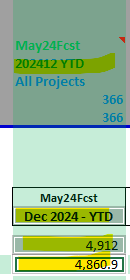
Example of DBRW using a NESTED LEFT function on the unformatted cell:

the unformatted cell:
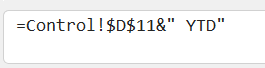
Create a new formatted cell:
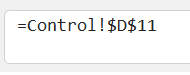
Example of DBRW without using a NESTED LEFT function and refining the formatted cell:

The DBRA Secret
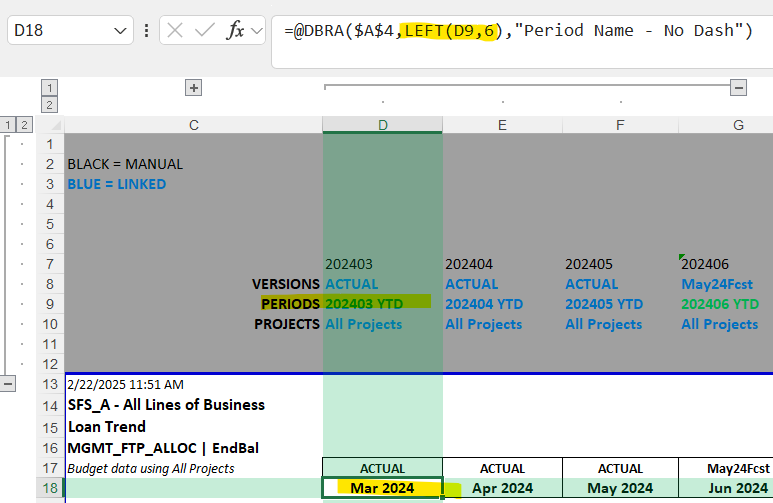
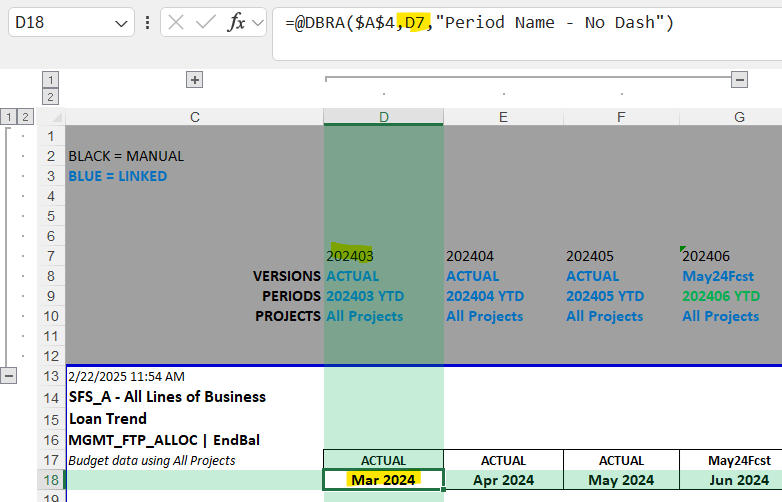
The DBRW function is considered faster than the DBRA function because DBRW is more optimized for performance, therefore it is a good idea to replace all DBRA’s with DBRW’s (DBRA actually executes a DBRW itself to retrieve data).
In the below example a DBRA function is being used (along with a nested LEFT function):

Below shows the optimized formula, using DBRW and dropping the nested LEFT function:

Unpredictable Functions
There can be issues in performance caused by the use of certain Excel formula functions. Certain functions, or the way the functions have been implemented within a worksheet, can cause unwanted recalculation. One example is using Excel functions on column headings (or other cells) that DBRW formulas on the rows reference. Every entry into a cell has the potential to cause the entire sheet to recalculate. Unpredictable function behavior may also be caused by using the OFFSET, INDIRECT and SUMIF (Excel functions). If any TM1/Planning Analytics formulas are dependent on the results of these functions, you may want to rethink their use.
Understanding PAfE Logging
Helpful in diagnosing Perspectives to PAfE reporting performance problems are text files or logs that PAfE can generate. By default, this logging may not be enabled. To check or to enable this logging, go to the IBM Planning Analytics ribbon in Excel and click on Options:

Under Options, select IBM and use the right scroll bar to scroll down to see “Logging.” From there select “All” from the drop-down list. Next click on OK and close and reopen Excel.
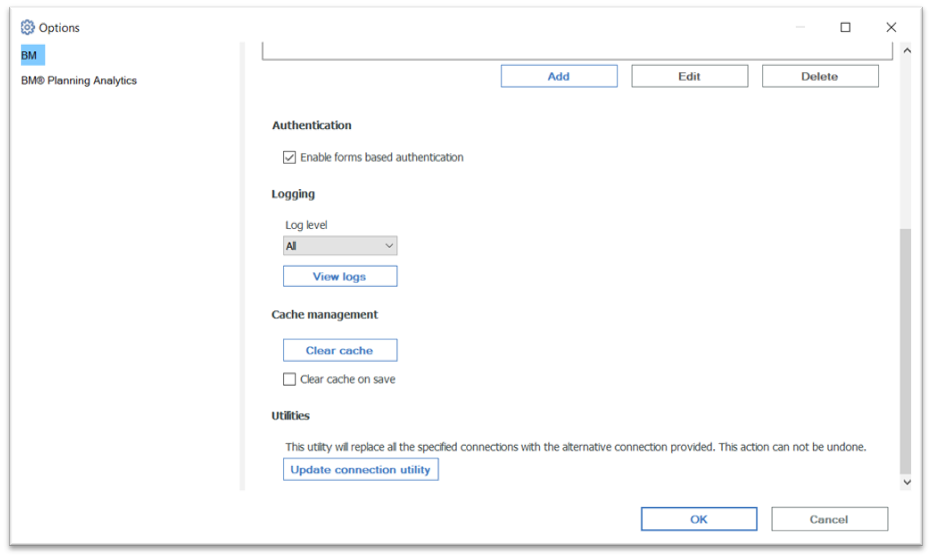
Once you have enabled PAfE logging, multiple log files will be generated while you use PAfE:
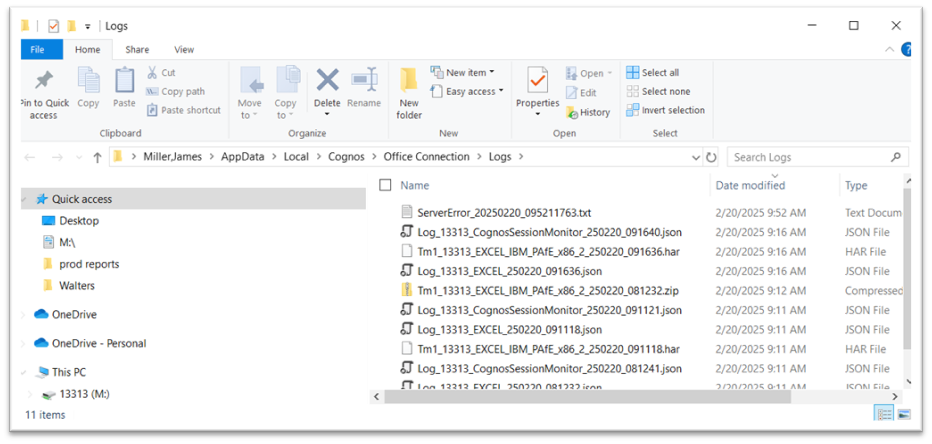
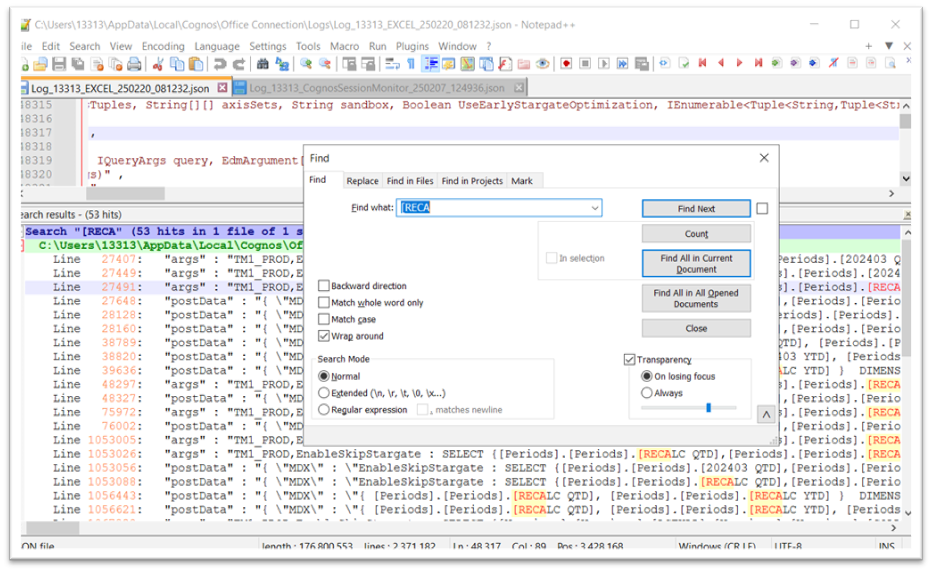
The log files can be viewed by opening then using a text editor, such as Notepad++. These files are typically requested should you open a support case with IBM. The most interesting of the log files is the JSON file (example shown below). In this file, if you search for the string “RECALC” it will give you an idea of all of the data points that PAfE needs to calculate refresh the worksheet(s) within your report. As a rule, the number of RECALC’s within a report should be minimal.
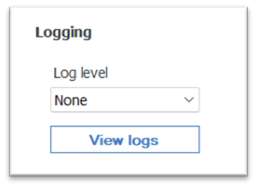
Finally, when not optimizing (or otherwise testing) a PAfE report, be sure to clear any previously generated log files and return the PAfE logging level to None to prevent any impact on PAfE performance (even if minimal).
Additional References
The following links contain useful information for transitioning from Perspectives to PAfE.
- https://quebit.com/askquebit/pafe-reporting-hints/
- https://quebit.com/askquebit/diagnosing-pafe-performance-issues/
- https://quebit.com/askquebit/ibm-planning-analytics-for-excel-quick-start/
- https://quebit.com/askquebit/using-dynamic-server-references-in-pafe-workbooks/
- https://quebit.com/askquebit/demystifying-the-pa-pafe-paw-passl-install-files-from-ibm-fix-central/